Thomas Doukinitsas
Showing posts with label Reflections. Show all posts
REFLECTIONS: Reflections on Photography Project

REFLECTIONS: Reflections on Photography Project

Overall, it's been a fun and interesting task to challenge myself, and to think about photography not only about the photographs, but also about the way they are presented.

However, although i'm pleased with the technical outcomes of this project, i still believe that i heavily lack on the ideas side.

I would have liked to have spent more time actually conceptualizing the big idea, rather than focusing on the little details or the technicalities so much.

Also i wish my final idea hadn't occurred to me earlier on, since this project feels personally a tad bit rushed.

I will be asking my peers and tutors of their opinions about the project, and will be welcoming any negative or positive feedback in order to improve future projects...

REFLECTIONS: Projector Set Up

REFLECTIONS: Projector Set Up

To properly loop and map the projection on to the gallery space i had to use special software.

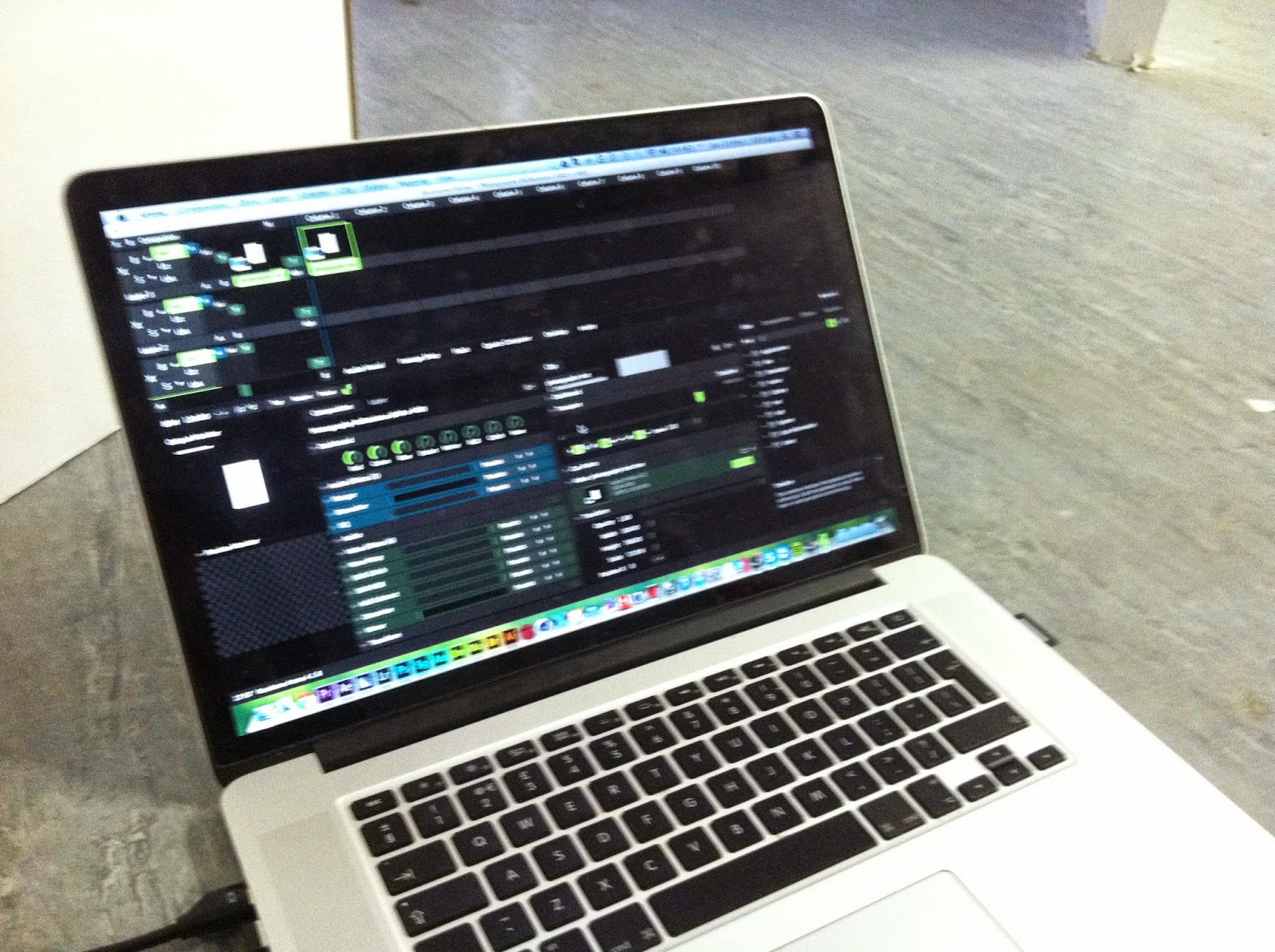
Fortunately i had previous experience with Resolume's Arena software. It's meant for projection mappings and VJ's, so it was perfectly capable of running the projection.

Arena's main user interface
After connecting the projector and playing the clip, some alignment was necessary. This was easy using the Advanced Screen Set Up window, which then allowed me to distort the image in order for it to be flat on the wall and properly fit the printed picture frame.

Overall, i am pleased with the final projection. Here are some stills from the gallery space:


Also, on a side note: I like the pixel effect the low resolution projector is creating, i think it adds to the feel of digital memories.

REFLECTIONS: Photography Last Minute Changes

REFLECTIONS: Photography Last Minute Changes

After thinking about what i wanted to be in the 4 "social media stories" that were going to be presented on the wall, this is what i came up with:

An interesting way to show how without our memories we are nothing, is to switch the idea around and think of how something as simple as a mannequin would have some sort of character if it participated in those memories.

I figured that a cool and fun way to show that would be to photoshop a mannequin in to a few photos, creating memories for it.

The first photo i chose to use was this:
Yes, that's me... The pose in this photo seemed quite expressive and the context of the photo (beach towel, sunny day, bars in the background) set the mood of a summer holiday snap.

However, since this was a last minute idea i didn't shoot the mannequin in the correct pose and lighting in order to photoshop it in to the picture.

This is were i remembered the software i used somewhere in the middle of this project to create a 3D head, and i recalled the fact that it had a free and ready to use mannequin model.

After importing the original photo in to the software, i posed the mannequin to fit the pose:


After that i lit the scene based on the original photo's lighting (backlit from the sun, bounce light from the road and environment). Then i textured the model using a wood photo from Cinema 4D's library, and then rendered a transparent image of the final model.

Then in photoshop i manipulated the 3D export to fit the original image, erased the original head and arms using Content-Aware Fill, and finally did a few adjustments to match the colors and shadows.


After each photo was done, i then added it in to the original photoshop document i had previously made, so that it looked like a facebook post.

Similar techniques were used in the second image, but this time i managed to use one of the photos from the studio shoot:


After all of the 4 images were ready, i imported them in to After Effects to add the final animation and motion.

I also added the 3D head that i had previously made for testing purposes on to the mannequin's head, suggesting that because of all of the memories flying around, a bit of character is fading in...

The final video is a 1 minute loop, and will be aligned and projected on to the printed photo.

REFLECTIONS: Photography Social Media Memories and Presentation Ideas

REFLECTIONS: Photography Social Media Memories and Presentation Ideas

For the memories around, i decided to use social media interfaces, to hint that now in the digital age our memories are all stored on social media sites like Facebook and Twitter.

In photoshop i'm going to be creating generic memories that look like the interfaces of some of the most popular social media sites, and they will be floating around the printed photo using projections.

My plan is to use After effects to create a looping video of these 4 remaining images, and using Resolume Arena (software similar to QLab) to loop it on to the projector.

REFLECTIONS: Photography Experimentation

REFLECTIONS: Photography Experimentation

During my exploration on how to portray the physical form, i managed to create two central photographs:

THE DIGITAL HEAD

Originally used for a pre-visualization, i created these two images using a digital model of a head and 3D animation software:

Even though these were just a lighting reference, Rosie really liked them.

After further experimentation, i managed to come up with these:

However, both these experiments did not fit in with my original idea, so i'm not so sure about them...

THE MANNEQUIN

Rosie suggested that maybe instead of a face, a mannequin would relate better to a form without personality, and i believed too that it related more to a "blank" figure.

During the session i booked in the flash photography studio, i got a series of interesting photos

The lighting setup consisted of two lights from each side to create a silhouette, and one directly above the camera acting as a fill light.
After looking at the photos, i finally decided on using this one as my central photo:

REFLECTIONS: Group Film Reflections

REFLECTIONS: Group Film Reflections


Whilst choosing this project i was thinking that i was going in this only as the visual effects guy. During the pre-production stage through group meetings i learned the meaning of metaphors used in films, and developed my own ideas around how far a metaphor should go. During the production stage i practiced my group working skills and managed to work off of material coming from extensive pre-production. During the post production phase i managed to see how a writer/director sees his vision, and how much he will try to stick to that. I also refined my technical skills concerning editing, color correction, visual effects and sound design.

This film has always been a bit weird for me, having an easy to understand story executed in a bizarre and non-traditional way. From my part i've been trying to ground the experimental nature of the project and bring in elements of traditional filmmaking to try and make it appealing to a wider audience, whilst the director of the project has been battling for the opposite: forget traditional filmmaking and explore how stories can be told in a different way.

It's like the innovator (Rob) battling with the normal and traditional (Me)... then again, the innovator probably needs known elements for his audience to relate too... It was a very good collaboration, and one i wont forget.

As for the final outcome, maybe with a bit more time we could have made something a bit more down to earth, but for what we had in our disposal i believe we did good...

REFLECTIONS: Group Film Final Touches and more VFX making of...

REFLECTIONS: Group Film Final Touches and more VFX making of...

So, after showing the film to the team through the facebook page, i was asked to do a few tweaks. These included:
  • Modifying the credits
  • Removing certain echo from the sound mix
  • Replacing the piano with a more synthesized organ.
  • Adding in more flashbacks from previous moments

Also here are some more behind the scenes for the Visual Effects i did:


After all of this the film was finally exported to Apple Quicktime ProRez 422 with sound at 16bit 48000hz peaking at -10db with 10 seconds of bars and tone and a 30 second countdown clock.


REFLECTIONS: Group Film Sound Design

REFLECTIONS: Group Film Sound Design

After the entire project was edited, all the effects added and all the color corrections put in place it was time for the sound design.

I decided to score the film as one whole track instead of each scene individually so that each scene blends in to one another.

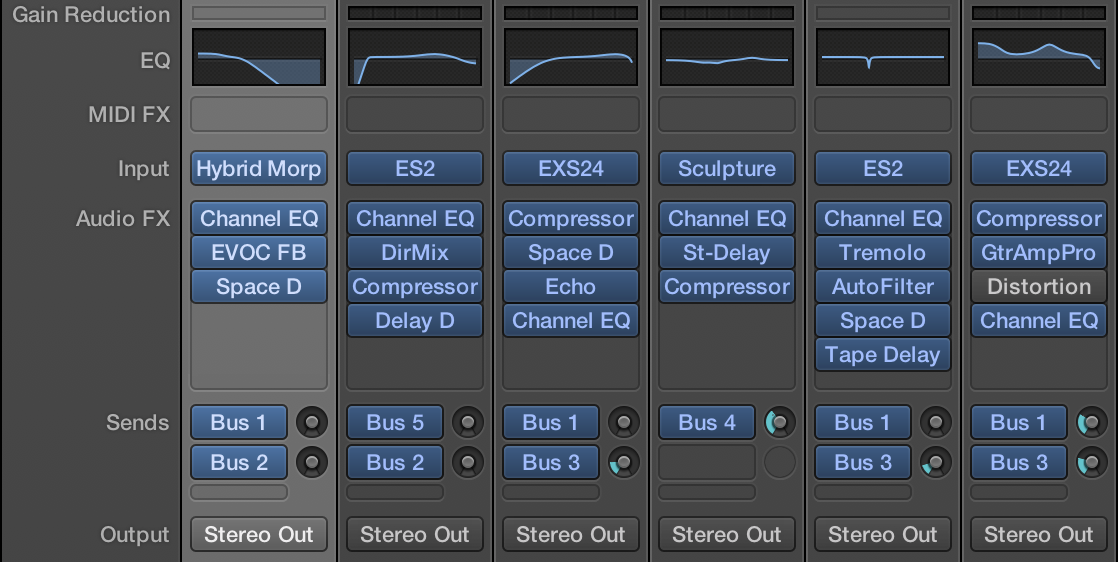
My NLE of choice was Apple's Logic Pro X, rather than Adobe Audition. This was mainly due to the fact that Adobe Audition can only mix sounds, not synthesize them.

The first thing i did was record an underlying drone throughout the whole film, this set a dark undertone and mood. I "pushed" the drone towards the bassy areas of the mix by applying an EQ to it.

Then i started adding in elements like synth keys, basslines and pads depending on what i saw on screen, and at the same time i carefully mixed all of the tracks to sit nicely within the mix.
Most of the same effects found in Audition are also found in Logic. It also works in a similar way to pro tools.
After that i added in sound effects like the can Rob drops, or the water from the river, or even the digital static. This was achieved both using a mixture of library sounds provided by Apple and my own recordings for the experimental sound project.


It was a conscious decision however to omit some sounds (like Rob's laughter at the end), to give a sense of closure and to make it more eerie and darker.

Lastly i added a compressor and a limiter to the master track to better merge all of the sounds, making normal sounds hit -18db and making sure nothing goes over -10db. Also i made sure quiet sounds are audible, but not too loud.

Overall i am happy with the sound mix, and i think it sets the tone for the film.

REFLECTIONS: Color Grading

REFLECTIONS: Color Grading

After finishing the edits and visual effects for each scene, i sent it over to Adobe Speedgrade using Adobe's Dynamic Link:
File > Send to Adobe SpeedGrade
The first thing i did was balance out the shots's exposure to fix any continuity errors. After that i added a series of Primary filters to stylize the colors. The main things i did were:

  • For the first scene the whole image was tinted to a more extreme blue color. This not only set the dark mood we were going for but also helped sell the light source as being the LED light from the computer.
  • For the second scene the colors start out vibrant and saturated, bringing out greens and blues to show the utopian nature of the digital world, showing that it's a place to escape from the coldness and darkness of the real world. As the scene progresses however, the colors fade away in to a darker, colder look. This is to reflect the character's decent in to a darker place. As a side effect it also may portray reality seeping into the digital domain, since i'm using the same color palette as the first scene.
  • For the third scene the colors are a more mild, but still dark and cool. Blacks are crushed slightly so that Rob can blend in to the darkness a bit more, to show that he's confined. This also removed some of the keying errors.
The main SpeedGrade interface

After those primary corrections, i added some secondary corrections on top to make the skin tones look a bit more natural. This was done by isolating the skin tones and making them a bit warmer.

Then, to some of the shots i added an extra primary correction layer with a mask to brighten or darken certain areas of the image, in order to emphasize certain parts when needed.
Here i'm brightening up the eye slightly, since that's integral to the story.

To increase the contrast slightly, and to also make the image look a bit more film-like i applied a LUT (Look Up Table) to the entire image.
I chose this look up table
because it was subtle, yet effective
Lastly i added a degrain filter on some of the shots to remove some of the grain caused by the low light.

REFLECTIONS: Group Film work after peer assessment

REFLECTIONS: Group Film work after peer assessment

After listening to what Leah and Rosie had to say about our film, we decided that we would be making a few changes over easter:

-Shortening slow paced sequences
-Re-arranging the first scene to give a bit of context
-Rethink the sound design
-Finishing all of the fine details such as visual effects, color grading and sound design.

Whilst working on the visual effects, i've been watching allot of behind the scenes documentaries on traditional visual effects done before the days of digital compositing, since although low-tech, they looked so organic.

This is a key one i watched:


So after being fascinated by backlit compositing, i tried to recreate the same feel digitally in after effects by isolating all of the bright areas of the image, duplicating them on top of everything, diffusing them using a "Fast Blur" effects and then mixing them on top of the original image using the "Add" blending mode.

By doing this the image seemed to get a nice organic glow that mimicked camera lens artifacts and imperfections, making the shot look allot more realistic. Another happy accident was the reactive lighting (seen on rob's right shoulder), as if the screen was actually casting light on him.

Lastly i added a slight color correction to rob and a chromatic aberration effect to the image to blend all of the elements together.

We are also using our facebook group to share versions and get feedback on each scene as it progresses

REFLECTIONS: Workshop with Anne and more progress

REFLECTIONS: Workshop with Anne and more progress

During our tutorial with Anne i had to show her our storyboards and completed visual effects shots since we hadn't started editing all of the footage. She advised that for some of the VFX shots we make a few changes to help the audience understand the story more easily: she suggested having rob's face gradually disappear instead of it being already gone through the duration of the shot. She also suggested doing a re-shoot for the shot of the glasses to get some better lighting. However talking with Rob and Anne we may have to shoot stills of the glasses or re-create them digitally in order to have more control over it.

Rob later on showed me some reference footage for how he wants the digital worlds to look like.

He was inspired by the digital cubes in "Mirrai Nikki: Another World". After carefully looking at the sequence that he'd given me i'd found wireframe 1s, 0s, cubes and lines with a light blue-cyan tint to them. I've tried to replicate that look in the following shot:

Also, you will notice that i've used a matte painting in order to remove the houses, as suggested to me by lucy, since she believed that they distract from the scene's mood.

This however posed another chalenge since i now have to create an animated rotoscoped mask around Rob and the bridge in order to place him above the image of the matte painting.

Hopefully the shot works to tell a better story, and i'm going to see what feedback i get on Monday from the team.

Also, after chatting with Rob and Kat we decided based of off some test soundtracks i had done that we need to go for a more experimental and less musical approach. Anne also suggested that we try to fill in all ends of the sound spectrum, since our original tests were a bit to bassy.

REFLECTIONS: Group Film so far...

REFLECTIONS: Group Film so far...

This past week has been quite intense, as i've been trying to get together all of the Visual Effects for the film. This has been quite tricky but fortunately since we had planned so much in pre-production it's not that bad. This is a collection of before and after shots of what i'm working on:

I've been using Adobe After Effects CC, and i've also used Cinema 4D r13 for generating the particles, PFTrack for tracking the moving shots and Primatte to key the Greenscreen (i chose Primatte over Keylight due to the fact that it can pull a much cleaner key). I've also used Magic Bullet looks to create effects like chromatic aberration and lens distortion.

REFLECTIONS: First VFX tests and sound ideas

REFLECTIONS: First VFX tests and sound ideas

During our second group working session, Rob asked me to do a few VFX tests for some of the important shots in the film, such as the shot where he runs in to the shadow, or where the shadow expands, due to the fact that these heavily rely on Green Screen footage. Here are some of my tests:


I will be explaining how i achieved some of these shots in a later blog post dedicated to the visual effects of the piece.

Also Rob was telling me his idea of how we are going to go about doing the sound design, he suggested that i teach them how to use advanced audio synthesis tools like "Logic Pro", and then let Rob and Kat try and experiment with this new tool to create the sounds and after they are done i will mix everything so that it sounds good and it is within legal audio delivery standards. This way we will be experimenting with the sound design, whilst at the same time keeping it at an audible state.

REFLECTIONS: Footage Logging

REFLECTIONS: Footage Logging

During our first group working session together we imported all of our footage from the Camera's card (remembering to copy the entire folder, not just the clips) to my external hard drive disk. This was then backed up twice (once on Rob's HDD, and once on Kat's) so that we have a safety net if everything goes wrong.

Logging all of the footage was quite easy for us, since we already had our shots listed in our production folder, that way we assigned shot numbers to the clips, along with a brief description and a take number.

We also added all the footage into folders so that we only see the footage we need for each scene.

REFLECTIONS: Filming Day 2

REFLECTIONS: Filming Day 2

During our second day of filming after gathering everyone we headed to Rob's house. Setting up the light we needed in the confined space of the room was tricky, but we managed to make it. We wanted a strong blue spot light on rob, flashing on and off. This was a stylized approach to simulate the led standby light on the computer. Rob had also been collecting coke cans for use as props, so we randomly positioned those on the floor once Rob had gotten in to position.

We also used a mix of gels, diffusion and false white balancing to help achieve the dull blue look that we were going for. Also Kat was turning on and off the lights and keeping a rhythm to the flashes.


As we had a shot list for everything, we managed to get through all of the shots quite quickly.

It was decided for a number of reasons however (such as better flexibility in post production) to use screenshots instead of filming the screen for the text shots. I will however try to emulate the look of the screen using visual effects.

Also, the rest of the crew managed to make me do this:
So all in all it was a productive day -_-

Also, as soon as the shoot ended, all of the files were backed up three times: Once on my main drive, once on my backup drive and once on Rob's drive.

REFLECTIONS: Filming - Day 1

REFLECTIONS: Filming - Day 1

On wednesday our we started filming for "Digital Distances". As agreed, everyone was at the bridge at 10:30 to start shooting.


Us setting up all of the equipment whilst waiting for Geordan to arrive on his train...


We also found something that we might have to let the stores know... ;)

Shooting on the bridge was harder than we thought since... well... there's people. But luckily Rob and Geordan went to opposite sides of the bridge and whenever there weren't any people on the bridge they would tell Kat to tell me to start recording, and whist the shot was being filmed they would block other people in order to not ruin the take.

The other shots were quite easy to do, and since we had planned everything in pre-production with shot lists, we wrapped early. This also gave me the chance to take a 360 degree panoramic photo of the environment for visual effects purposes.

The panoramic image that will be used for Visual Effects purposes.
After packing up and getting some lunch, we went to the stores to get some more accessories (one more light stand, some gels and a monitor cable) and then headed off to the studio.

Now, the reason i wanted the monitor cable is because i decided that the HVX200's screen is not accurate for focus pulling, and since i own my own field monitor it would be a better solution.

As soon as we got in to the studio, whilst Rob and Kat we're looking at the shot lists, me and Geordan we're setting up the Greenscreen and the lighting.

Lighting the greenscreen was a challenge, because i wanted to have stylized lighting on Rob (harsh backlight and soft keylight due to the white room), but at the same time keep an evenly lit greenscreen.

This is the setup we ended up with:

Even though the screen isn't as evenly lit as it could be, i believe that it is sufficient to pull a decent key, and we didn't have to sacrifice my original lighting idea. Plus the above set up is also based on a three point lighting set up to try and even out any unwanted shadows.

Filming in the studio was much more laid back since we had it booked for 6:30 hours. This allowed us to have fun and experiment with the shots and also not worry too much about running behind schedule. Over all we got everything we needed, and maybe even a bit more...

Did i also mention we had fun...?

REFLECTIONS: Memories and Identity

REFLECTIONS: Memories and Identity

After thinking carefully on how to add to my photography project, i've decided that i want to show the importance of memories in general, and how our memories define who we are.

As i was researching the subject, i came across "THE ART OF IDENTITY: MEMORY AS THE MAKER" by Allison Keeley, and i really liked the introduction to the article:
"Memory is identity. I have believed this since… oh, since I can remember. You are what you have done; what you have done is in your memory; what you remember defines who you are; when you forget your life, you cease to be, even before death."
To incorporate this in to the presentation style i've come up with (found here: http://tdoukinitsas.blogspot.co.uk/2014/02/reflections-photography-project.html), i believe that i should somehow separate the memories from the person in the portrait.


So... what physically defines a person? The most obvious answer is his features, and more specifically his facial features: Mouth, Nose, Eyes, etc...

What if i separated the person's defining facial features from his actual physical body, much like the separation of memories and physical existence to further show how these two are linked, and how if they are separated they will look bizarre and strange.

After digging in to how other people have withheld facial features from photographs, i really liked Quentin Arnaud's approach in his series "Shape":

I'm thinking of using a similar technique of backlighting to achieve a similar effect.

Also, for the 4 memories i want to do the complete opposite, present memories from the person's life but only using faces and nothing else.

Also i believe that i need to talk with others to see if i should use black and white or color, or even a mix of both.

REFLECTIONS: Group Meeting #3, #4 and Storyboards

REFLECTIONS: Group Meeting #3, #4 and Storyboards

During our next few meetings we focused on finishing the story, getting the storyboards done and finishing our production pack. It was quite an interesting process as we were all throwing in ideas, and seeing what ones would stick to our film.

At the same time, Katherine and I were working on illustrating everyone's ideas on to paper:
Rob's rough sketches and Katherine's final storyboard.
After completing the story and the storyboards, what was left was the shot list and risk assessments.

Now, after watching a video from a podcast i'm subscribed to, i found it really interesting how they used a system called FLIX to automate the storyboard process, and make it more dynamic and collaborative:
so i was wondering if there was a free and more accessible solution that we could use.

After searching the web, i managed to find something similar called ShotBox. It is an online storyboard collaboration tool, and it has helped us save a lot of time.
The main Shotbox interface, as i was digitizing the storyboard

The way it works is you upload each individual panel, give it a title, a description and some notes and then the tool automatically generates shot lists, breakdowns and a storyboard.

On each shot i've added shoot notes and instructions on how to properly film elements for VFX shots.

It's also extremely easy to use it for the purposes of shot reviews and updating the whole crew, since it has a comment system and anyone invited to collaborate can change the panels and add their own notes.

Finally, after all of the panels had been uploaded and tagged, i exported and printed a storyboard and a shot list/breakdown.
The final shot breakdown and the original storyboard.
Also, since Shotbox had automatically assigned numbers to each shot, it made it easier for Kat to plan a shoot schedule.

Overall, even though this was a tiring process, it will definitely help get the shoot done as efficiently as possible.

You can view all of our production files here.

REFLECTIONS: Photography Project Presentation Idea and Development

REFLECTIONS: Photography Project Presentation Idea and Development

Developing upon my original idea for the photography project, i've come up with a few ideas on the style of the presentation and the concept.

There will be 4 projected photos and 1 printed photo, like so:

The four projected photos will be point of view shots of memories, such as friends and situations and the middle one will be a portrait of someone.

The four memory photos will be projected to show that memories, although they are real they are also not physical objects, and consist of a mixture of signals coming to our brain from our eyes, pretty much like the projections are just made up of light and pixels. Also the memories will flash on and off to show that we do not recall all our memories at once, but we recall them in flashes, one by one.

The printed image of the portrait will be printed to show that in contrast with our memories, we exist physically, but also at the same time i'm thinking of projecting pure white light on the printed surface, to show that although we exist in a physical world, an important part of our existence is our non-physical memories, just as an important part of seeing the printed image is the light that's projected on to it.

The photos will probably consist of a studio flash session, although i wanted to ask if i could deviate a little with the memory photos and maybe use found photos or just capture shots on location, rather than recreating the setting in a studio.

Also, another idea (not illustrated in the picture above) is that the memories are not a square canvas, and they should be more of a circular/oval shape, much like how our eyes perceive images/memories.

For the person in the portrait it will either be a friend, or it can be myself.

Finally, to show how we may not recall memories in the same way, during each flash each photo may be slightly different.

Also, a considerable amount of research has to be conducted in order to help better explain and execute the concept.

REFLECTIONS: Group Meeting #2 - Story Planning and Symbolisms

REFLECTIONS: Group Meeting #2 - Story Planning and Symbolisms

During our meeting today we started to storyboard Rob's idea, and also figured out the story for the second part.

During the second part of the meeting with some help from Rob i've decided to research Metaphors and Symbols more, to prepare myself for contributing ideas for what Rob is going for. I've found a cool article at http://www.peachpit.com/articles/article.aspx?p=174318&seqNum=3 which i am currently reading.

To try and relate the concept of symbolism to my personal interests, and what i'm more used to, i've found this article http://www.cracked.com/article_20497_5-great-movies-with-mind-blowing-symbolism-you-didnt-notice.html which surprised me pleasantly.

I also have a theory of my own, and i will discuss it more with others to see if they believe this: I think if a film, depending on it's intended audience, has to be smart and dumb at the same time, meaning it can be smart by using symbolisms and metaphors, therefore leaving it open to interpretation by some, but it also has to have appealing characteristics for the more mainstream audience who won't necessarily get the symbolisms whilst trying to relax and enjoy the film.